

A height-adjustable desk may seem like a simple office purchase—until you need to choose the right adjustment method, support real workstation equipment and keep a multi-desk order consistent. For Kuala Lumpur business owners and procurement teams, the best choice is rarely just the lowest quoted option. It is the desk that suits how employees work, fits the office layout and remains straightforward to specify, approve and manage.
Quick Product Picks
| Image | Best For | Key Benefit | Product | Action |
|---|---|---|---|---|
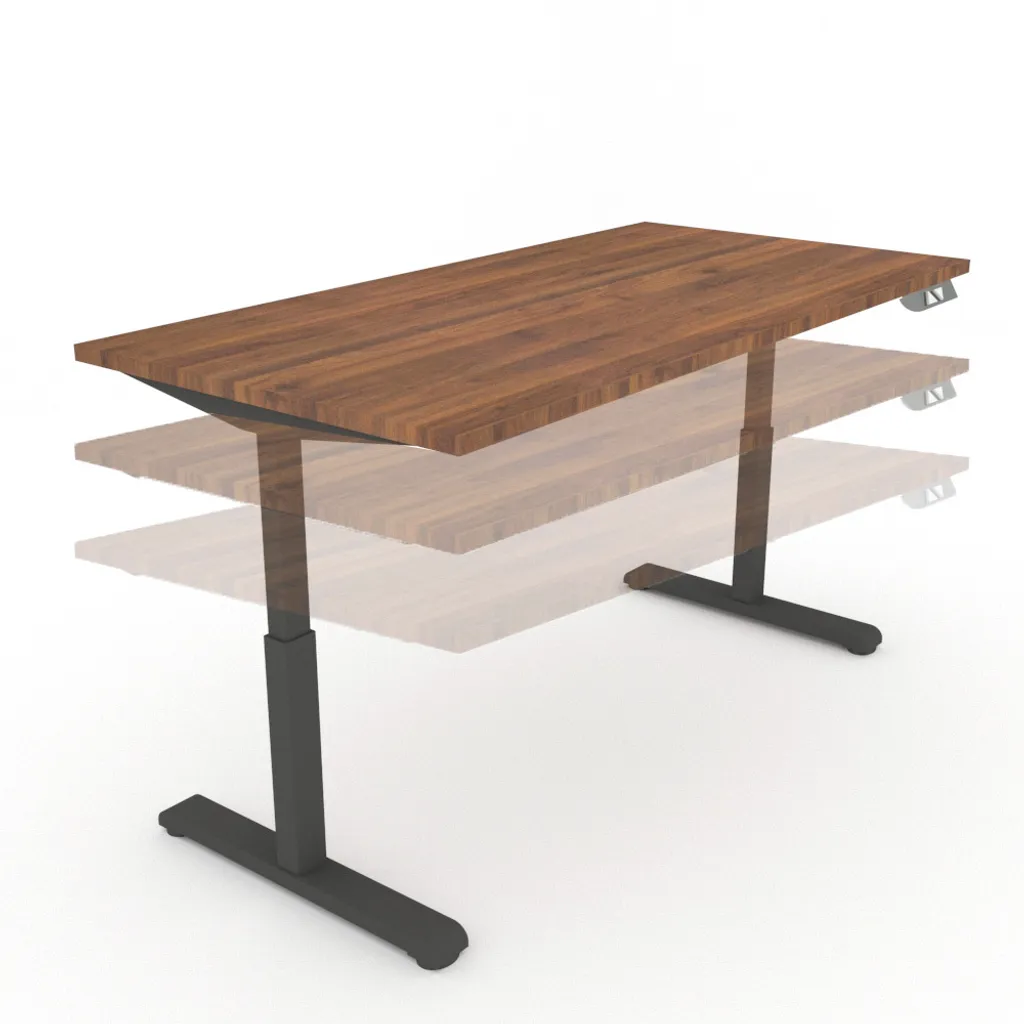 | Shared workstations, frequent height changes and teams using fuller computer setups | Button-operated dual motors make daily adjustments easier for rotating users, while the higher listed load capacity gives more headroom for workstations with monitors, docking equipment and desktop accessories. | ACHT300 Electric Power Hydraulic Height Adjustable Banker Computer Desk Home Office Working Table | View Product |
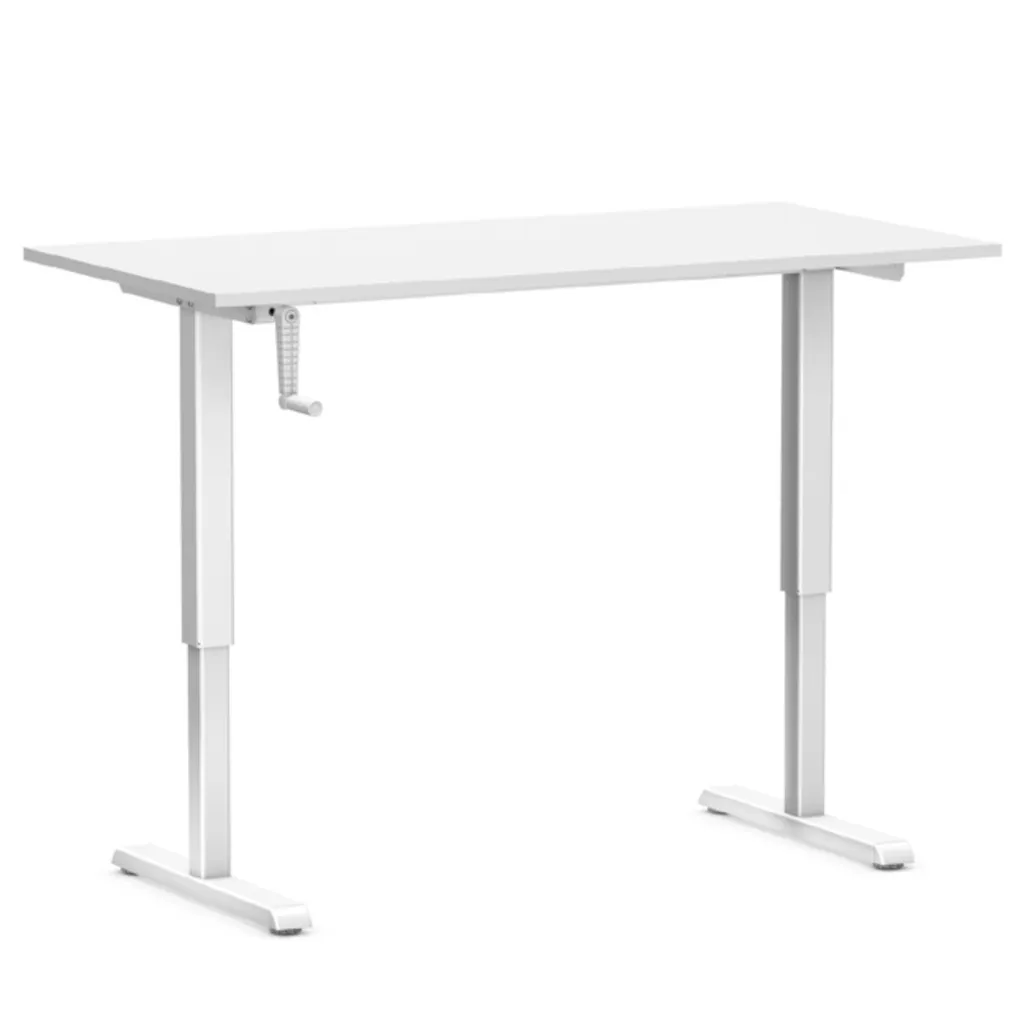 | Assigned desks with lighter equipment loads and less frequent height changes | Its handle-operated adjustment suits teams that want height flexibility without powered movement, making it a practical specification for roles with simpler desk setups. | ACAT300 Hydraulic Height Adjustable Banker Computer Desk Home Office Working Table | View Product |
Compare electric and manual adjustment for your team’s daily routine.
WhatsApp for a Quick RecommendationWho Is This Best For?
Business owners and company purchasers
- Choose an adjustment method and workstation capacity that fit each team’s daily work.
- Build a clearer multi-desk specification before approving a quotation.
Procurement managers and office administrators
- Standardise configurations, finishes and warranty records across departments.
- Prepare quantities, site access details and equipment requirements for a smoother enquiry.
Start With How Your Team Will Use the Table
The term “hydraulic table” is used broadly in office searches, but a sound purchase starts with the work being done at each station. Ask whether the desk must hold a monitor, laptop, docking equipment and paperwork together, or whether it will mainly serve a lighter individual computer setup. The answer helps determine the adjustment method and listed load capacity worth prioritising.
For a Kuala Lumpur office fit-out, consider whether desks will be shared across shifts or assigned to individual employees. Shared stations often benefit from quick, repeatable adjustment, while assigned desks may allow a more tailored choice. Use the hydraulic tables collection to compare the available height-adjustable options before putting together your project enquiry.
Avoid assuming every employee needs the same workstation. Reception, finance, operations and management teams can have different screen counts, paperwork and privacy requirements. A brief workstation audit before ordering helps prevent a desk that is adjustable in principle but awkward in daily use.
Choose Electric or Manual Adjustment Based on Daily Demand
Electric and manual desks address the same need—changing the work surface height—but feel different in everyday use. Electric operation can suit shared desks, frequent changes and users who value button-controlled movement. Manual operation can be a sensible choice where adjustments are less frequent and a handle-operated mechanism fits the working routine.
The ACHT300 Electric Button-Control Melamine Computer Desk uses electronic button control with dual motors and has a listed capacity of up to 80 kg. This makes it the stronger option of the two for roles expected to carry a fuller computer setup. It also has separate stated warranty coverage for the structural frame and electrical parts, which is useful to review during procurement.
The ACAT300 Manual-Handle Melamine Computer Desk is adjusted using a handle and has a listed capacity of up to 55 kg. It is best assessed for lighter workstation loads and settings where powered movement is not essential. Neither choice is automatically better; user habits and workstation demands should decide.
Assess the Complete Workstation Load, Not Just the Laptop
Check a desk’s stated capacity against everything that will sit on it, not just the computer. Include monitors, monitor arms, desktop PCs, docking stations, desk phones, document trays and equipment that may be added later. This matters especially in finance, design, operations and customer-service roles, where desktop equipment can accumulate quickly.
The listed capacities provide a useful starting point, but they should be matched to a real equipment list for each role. Do not treat the stated figure as an invitation to overload the desk. If your office has several workstation types, prepare a simple equipment schedule before confirming quantities.
Both verified options use a melamine work surface with a metal frame, giving purchasers a consistent base specification across the project. For roles that do not need height adjustment, you can also browse office tables and desks for commercial workspaces to compare fixed-height alternatives.
Plan the Desk Configuration Around Your Layout
Both verified models are available in three listed desktop configurations. Choose between them by measuring desk bays, circulation routes and nearby storage, rather than selecting on appearance alone. The right working surface depends on whether the role uses one monitor, several screens, large documents or only a laptop and notebook.
For offices with several departments, one configuration does not always fit every role. You may standardise a core option for general staff, then allocate a broader work surface only where employees genuinely need more room. This keeps a multi-unit order easier to manage while linking the specification to actual work needs.
The models also offer optional tabletop colours and black, white or grey metal leg finishes. If finish coordination matters for your workplace, confirm the preferred combination in writing when seeking a quotation. This is particularly important for a larger office rollout where consistency is part of the brief.
Share your workstation setup for a more suitable desk recommendation.
Send Us Your RequirementsBuild an Ergonomic Workstation, Not Just an Adjustable Desk
Height adjustment is only one part of a considered workstation. Employees also need a suitable chair, sensible screen placement and enough clear surface area to work without reaching around equipment. For a useful general planning reference, review OSHA’s computer workstation guidance alongside your organisation’s own workplace requirements.
Chair selection deserves equal attention in management and professional work areas. Browse the high-back manager office chair collection when planning a more complete individual workstation. The desk and chair do not have to be bought as a set, but they should be considered together from the user’s perspective.
A height-adjustable desk may not be the right answer for every executive room. Some roles need integrated storage, a meeting surface or a more formal desk format alongside computer work. In those cases, consider director and manager tables rather than forcing one desk type throughout the office.
Evaluate a Kuala Lumpur Supplier Beyond the Initial Quote
When comparing hydraulic tables in Kuala Lumpur, look beyond the headline quotation. A useful supplier discussion should cover the chosen configuration, required quantity, intended workstation load, warranty coverage, current availability and delivery arrangements. Office administrators should also confirm the information needed for internal approvals, including product descriptions and finish selections.
If you are searching for a hydraulic tables supplier in Kuala Lumpur, give the supplier enough detail to assess the request properly. The verified electric and manual models each state a five-year warranty for the structural frame and a two-year warranty for electrical parts such as switches, cranks and motors. Ask how the warranty applies to the model you select and what records your organisation should retain.
Local purchasing is not simply about location; it is about having the information needed to make a confident decision. Share your layout, workstation quantities and typical equipment setup so the recommendation can reflect operational needs. Contact us to confirm current availability and delivery arrangements for your preferred configuration.
Make the Purchase Easier to Approve and Manage
Prepare a short specification sheet before requesting a quotation. Include the department, user count, preferred adjustment method, required configuration, finish preference, typical equipment load and any site access considerations. This reduces unnecessary back-and-forth and gives decision-makers a clearer basis for comparing options.
If the project includes a mix of workstation types, list height-adjustable and fixed-height desks separately instead of combining everything into one vague line item. This makes it easier to identify which teams truly need adjustment and helps facilities teams plan placement and future additions. It also creates a cleaner record for procurement approval.
Avoid making a decision solely on the initial quotation. A desk that fits the role, supports the intended setup and has a clear warranty position is easier to justify than an unsuitable option selected only for a lower initial figure. Once you have confirmed the configuration and quantity, contact us for current pricing and availability.
Product Details
ACHT300 Electric Power Hydraulic Height Adjustable Banker Computer Desk Home Office Working Table
- Best for
- Shared workstations, frequent height changes and teams using fuller computer setups
- Material
- 25mm melamine table top and electronic powered button control dual motors height adjustable mechanism metal frame
- Key benefit
- Button-operated dual motors make daily adjustments easier for rotating users, while the higher listed load capacity gives more headroom for workstations with monitors, docking equipment and desktop accessories.
- Product code
- n/a
- Price
- Contact us for current pricing and availability
ACAT300 Hydraulic Height Adjustable Banker Computer Desk Home Office Working Table
- Best for
- Assigned desks with lighter equipment loads and less frequent height changes
- Material
- melamine and metal frame
- Key benefit
- Its handle-operated adjustment suits teams that want height flexibility without powered movement, making it a practical specification for roles with simpler desk setups.
- Product code
- n/a
- Price
- Contact us for current pricing and availability
Buying Guidance
Before requesting a quotation, identify the roles that genuinely need height adjustment and decide whether frequent use makes electric button control more suitable than a manual handle. Record the full equipment setup for each workstation, then match the desk configuration to the office layout. For multi-unit purchases, standardise where practical but allow exceptions for teams with heavier equipment or larger working requirements.
For a more actionable enquiry, send the supplier a department-by-department quantity list, preferred model or adjustment method, finish preference, likely desktop load and site access notes. This gives Tekkashop the information needed to help you compare suitable configurations, confirm current availability and prepare a more relevant quotation. A well-prepared enquiry produces a more useful response than a request based only on the phrase “hydraulic table.”
Request a quotation with your preferred configuration and quantity.
WhatsApp Us NowFrequently Asked Questions
Do these desks include chairs, monitor arms or cable-management accessories?
The verified product details describe the desk, worktop and adjustment mechanism, but do not confirm included chairs, monitor arms or cable-management accessories. Ask the supplier to confirm what is included in the selected quotation before placing an order.
Can the electric desk be used during a power interruption?
The verified information confirms electronic button control and dual motors for the ACHT300, but it does not state how the desk operates during a power interruption. Ask the supplier to confirm the current operating details for the exact model before approval.
How can we check whether the adjustment range suits our employees?
Ask the supplier to confirm the current adjustment range and operating details for the exact desk being considered. The verified listings confirm that both models are height adjustable, but the appropriate range should be checked against the intended users before a business purchase is finalised.
Can a company mix electric and manual desks in one office project?
Yes, where different roles have different adjustment needs. Shared or equipment-heavy workstations may justify electric operation, while lighter individual setups may suit manual adjustment. List each model and quantity separately in your enquiry so current availability can be confirmed.
What should we include in a quotation request for several office desks?
Include the model or preferred adjustment method, quantity, desktop configuration, finish preference, typical equipment setup and site access details. If different departments need different desks, separate those quantities clearly. This helps the supplier confirm current availability, delivery arrangements and the suitability of each proposed configuration.